

You will see this button available when an hotel service is in status booked error and no booking number has been received.
It is important that you always check with the provider first if the booking has been really made

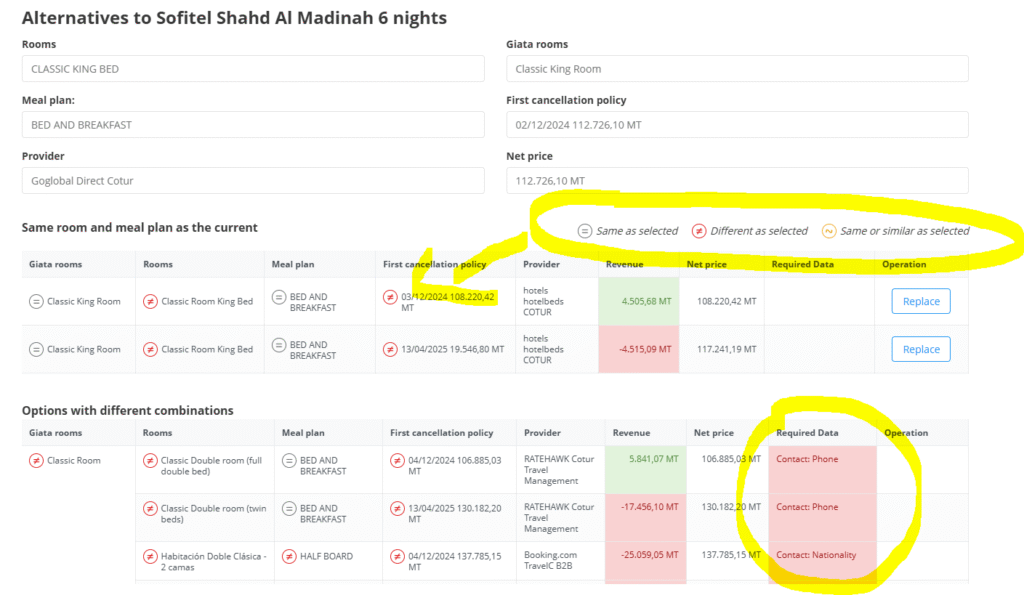
When we click this button, what the system will do is search the same service with other providers, and it will show the information that matches and the one that doesn’t.
Also is important the required data column, if it has information missing you will have to complete it in the booking before retrying booking with that provider
Also there is an automated rebooking option. If activated in that microsite, it will launch automatically the rebooking process when a service fails and will rebooking it if it’s in the configured revenue parameters