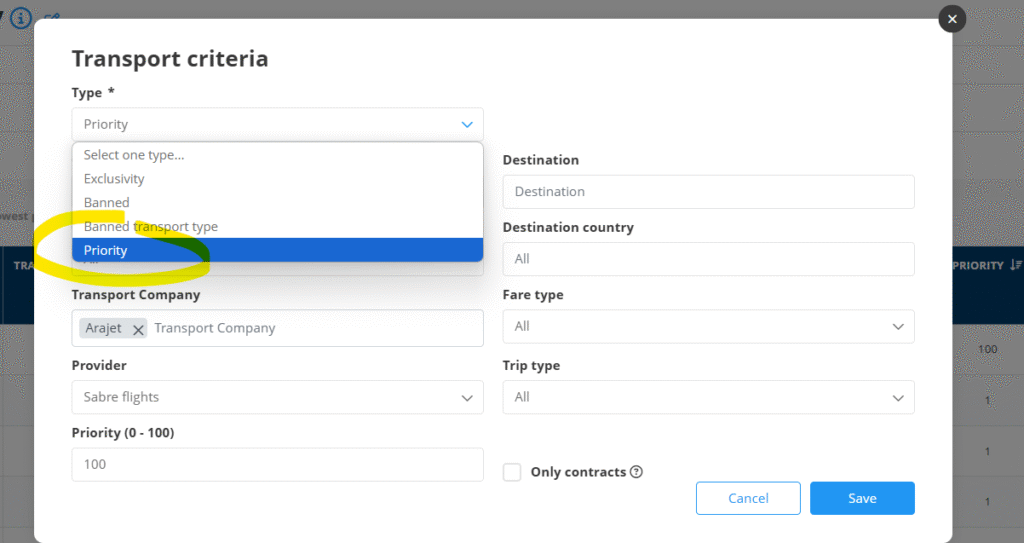

By using the tool TRANSPORT PRIORITY in the WEB CONTENT back office section you can apply several criterias in order to change the normal priority for the transports.
If your prioritized transport is not showing please check the following criterias:
Check the type of priority rule created exclusivity”, “banned” y “banned transport type”
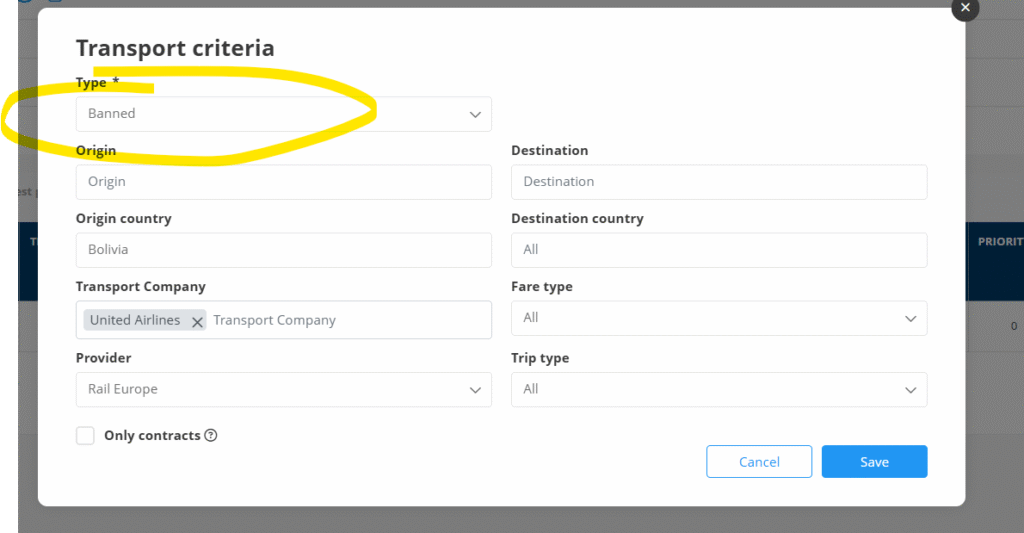
- In case that you have “exclusivity” rule the system will discart all the other transports that have not got this rule
- If you are using “banned” or “banned transport type” the transports marked with this rule will be discarted
The duplicated transport results from different providers will be discarted using the following criteria:
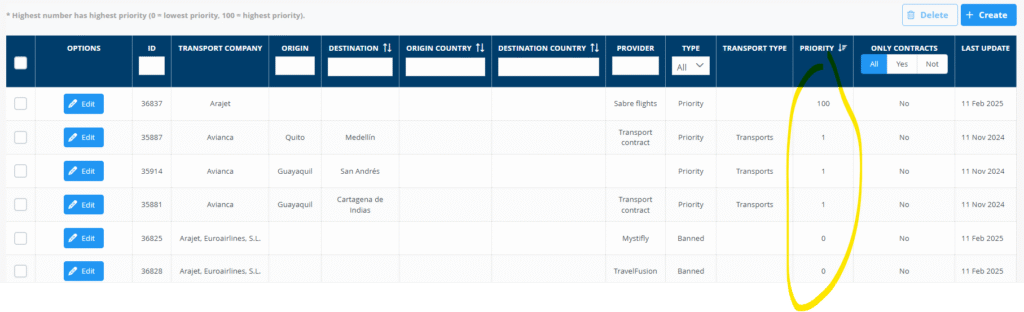
- The transport that has highest priority will be kept:
- In case that we receive 2 or more duplicated services, the service that has the lowest price will show
- In case that all the services would have the same price. The one that has Roundtrip price will show.
Once eliminated all the duplicities, priority type transport priority rules will apply