
Your microsite normally has a functionality to report malfunctions. This is under the button FEEDBACK/SUPPORT in the microsites header:
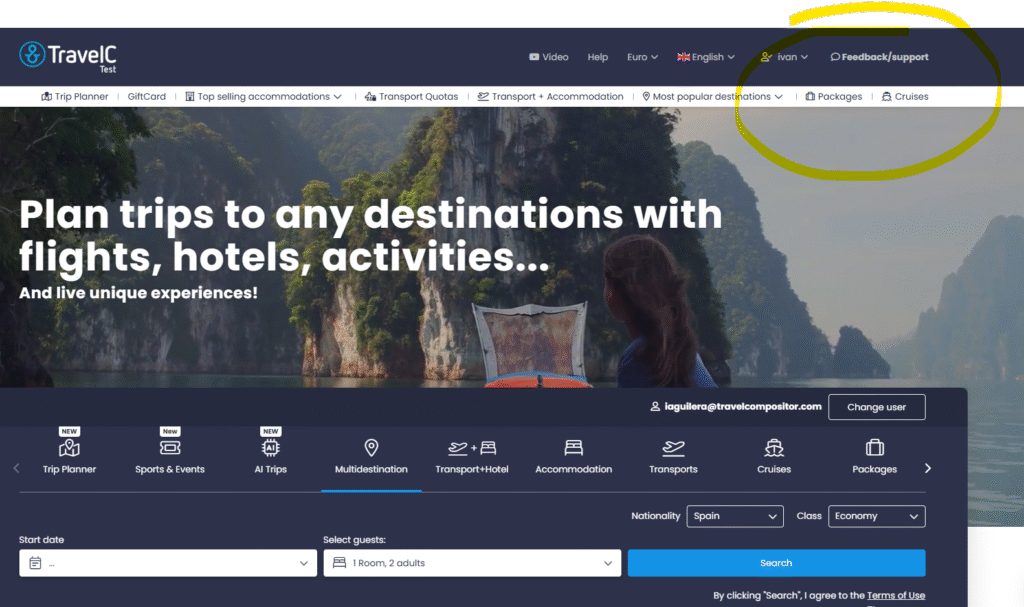
This option is only visible if the user is logged in and will open a form to fill in and report any kind of malfuntion in the web or request support.
After sending the report this wil generate an email to the operator email and microsite’s booking email including the users contact, message inserted and images (if attached)

If you don’t want to have this functionality you can disable it from our back office CMS SETTINGS and unchecking the Hide feedback/support button from the microsite’s header option