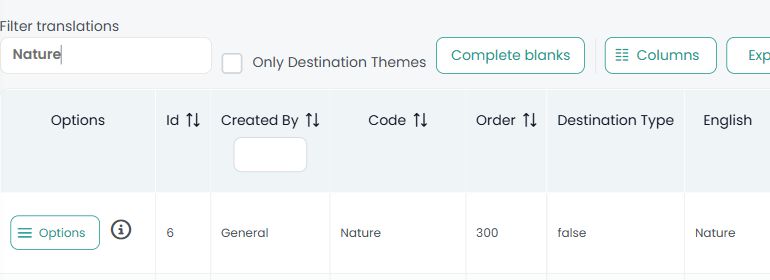
Authorised users can find a theme’s internal identifier in Web content > Themes. Use Filter translations to locate the theme and read its Id column. The Code and Order columns contain different values.
For example, the Nature theme shown in the image has Id 6, Code Nature and Order 300. When a component requests the theme ID, the value for this example is 6; neither Nature nor 300 replaces that identifier.
CMS > Themes controls how themes are enabled and displayed on the selected microsite. Its Main/Secondary type and display order do not change the underlying theme ID. Access to the master theme list depends on the user’s permissions.