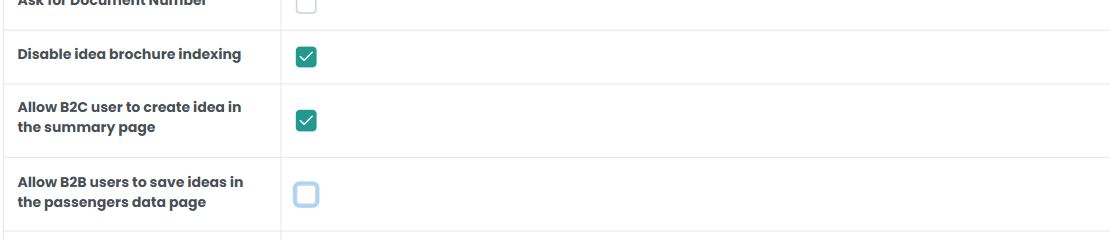
The microsite has separate settings for saving an idea on the B2C summary page and on the B2B passenger data page. They do not represent a single switch for every user and every step.
Go to Back Office > Microsites > Microsite Settings > Microsite Settings > Other settings. Select the intended microsite before editing.
Use Allow B2C user to create idea in the summary page for the B2C summary. Use Allow B2B users to save ideas in the passengers data page for the B2B passenger data step. Check the relevant option to allow it or uncheck it to hide that option in the corresponding step, then save.
Example: to hide Save idea on the B2C summary while retaining it for agents on passenger data, disable the B2C setting and enable the B2B setting.
To review the user permission, go to Back Office > Ideas & Users > Users and open the user record. Check the profile, custom permissions and disabled permissions there. Ideas & Users > Profiles contains the permission descriptions. Custom permissions add access; disabled permissions remove inherited access.
For a logged-in user, also check the ideaAccess permission, which allows creating an idea. Agent and Quoter profiles include it in the standard permission catalogue; check the user’s profile, custom permissions and disabled permissions before adding another permission or changing their role.
A microsite setting controls where the action is offered; a user permission controls whether that user is allowed to create an idea. Review both if the button is missing.