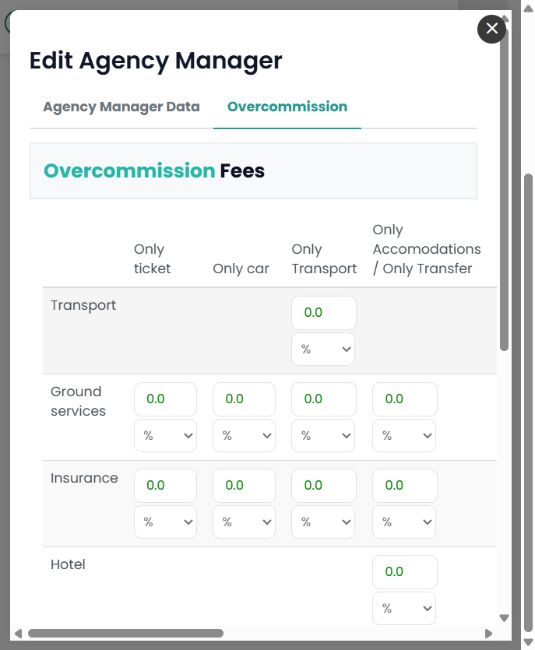
With the OPERATOR profile, go to Ideas & Users > Agency Managers, open the manager record and select the Overcommission tab.
Review the amounts or percentages for each service type and booking engine. Checking one field is not enough: transport, accommodation, ground services and insurance may have different values.
Also review any custom commission rules that include that agency manager. A base value of 0 does not, by itself, establish that no custom rule can apply.
Example: a manager may have 0 for Only Transport and an overcommission for accommodation. To assess a hotel sale, review the corresponding accommodation column and service, together with the applicable custom rules.
The Agency Manager profile and commission configuration are separate elements. Having that profile does not, by itself, establish whether a transaction generates commission.